Reporting
See What Is Happening Across Pre-Visit Operations
PracticeNexa reporting helps physician offices review readiness, appointment outcomes, intake completion, and communication activity — without manually assembling operational status from separate tools.
Four reporting views in the product
Each report matches the terminology in PracticeNexa — operational visibility for physician offices, not a separate analytics platform.
Operations Summary
Readiness and operational status across appointments for a selected period.
Appointment Outcomes
How appointments concluded — completed, cancelled, no-show, and related counts.
Intake Completion
Intake progress and incomplete assignments before visits.
Communications
Communication activity tied to pre-visit outreach and follow-up.
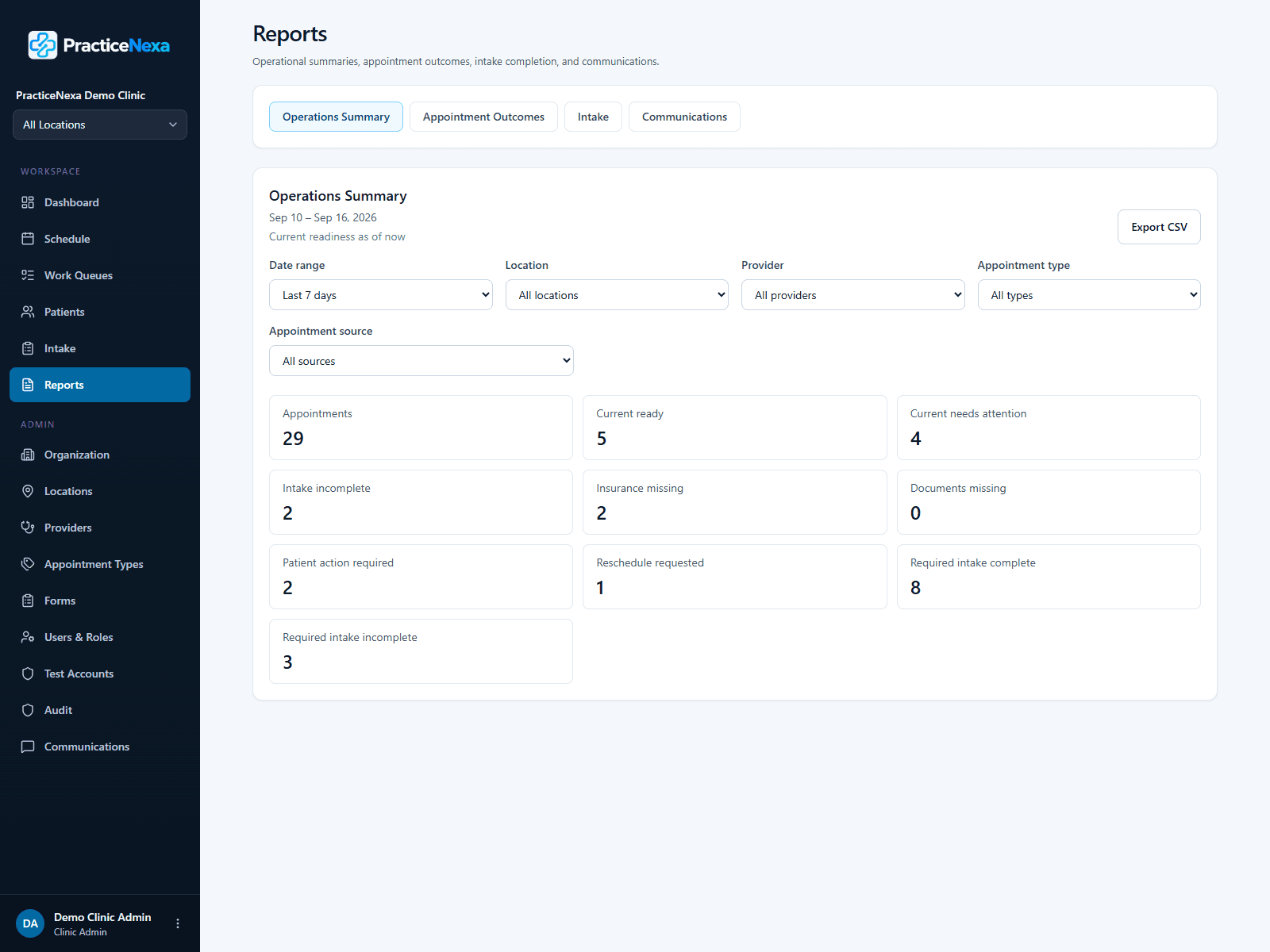
Operations Summary
Operational Readiness at a Glance
The Operations Summary report aggregates appointment readiness and related operational counts for the filters you choose — giving administrators a starting point for the week or service period.
- Review summary metrics for the selected date range
- Filter by location, provider, and appointment type
- See where attention may be needed before the day gets busy
Appointment Outcomes
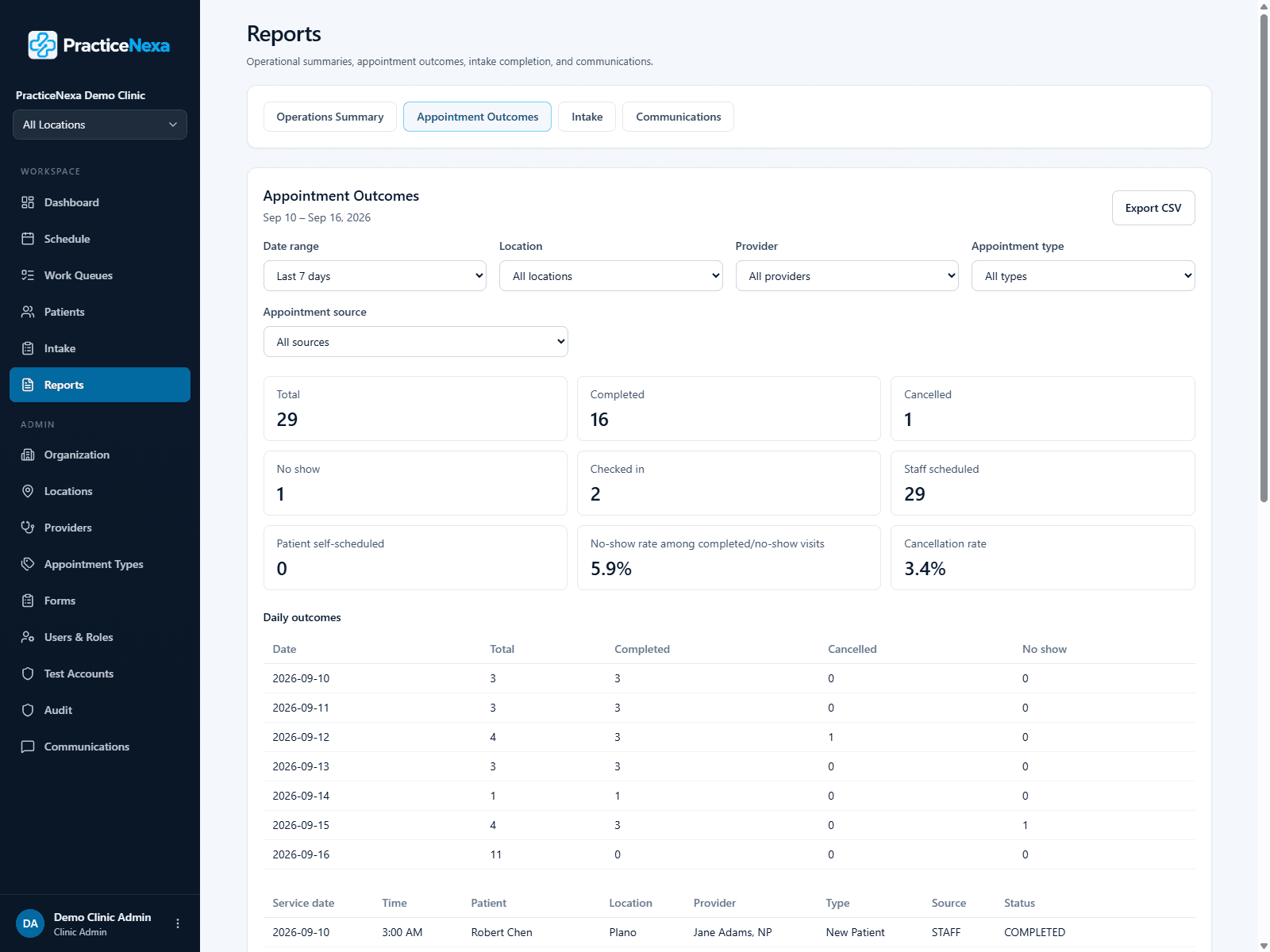
Understand Appointment Results Over Time
Appointment Outcomes shows how visits concluded in the selected period — completed, cancelled, no-show, and related operational statuses — so managers can see patterns without reviewing appointments one by one.
- Track completed, cancelled, no-show, and check-in counts
- Use the same filters as other operational reports
- Operational appointment reporting — not clinical outcome analysis
Intake Completion
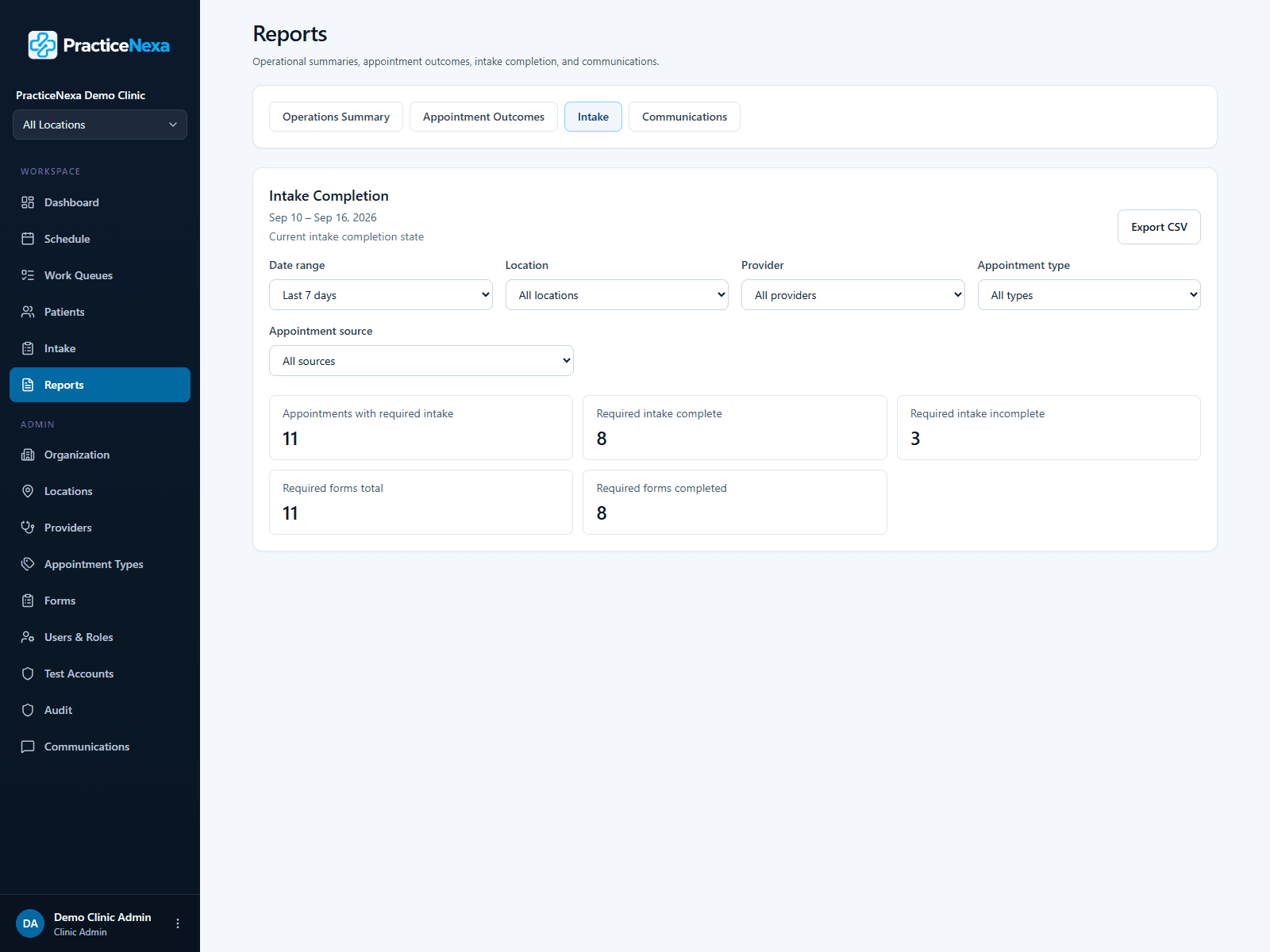
See Intake Progress Before Arrival
Intake Completion reporting helps staff see how digital intake is progressing across upcoming appointments — highlighting incomplete assignments that may still need patient or staff action.
- Monitor intake completion across filtered appointments
- Identify incomplete intake before check-in
- Connect reporting back to appointment readiness work
Communications
Review Communication Activity
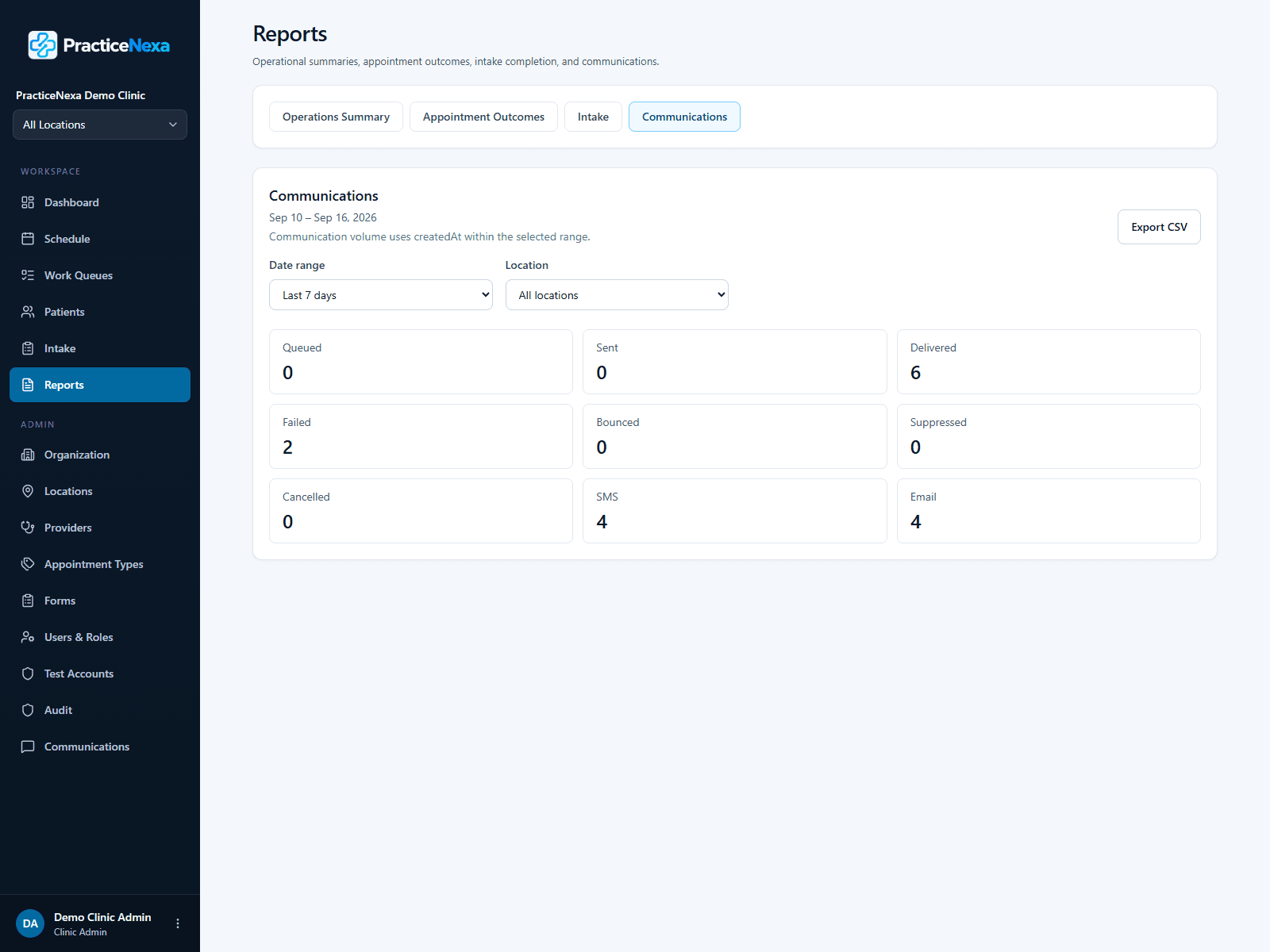
The Communications report summarizes outreach and communication-related activity for the period you select — supporting follow-up when patients still need to complete pre-visit steps.
- Review communication activity alongside other operational reports
- Support staff follow-up on failed or pending outreach
- Stay within operational reporting — not delivery guarantees
From reporting to action
Reporting is most useful when it helps staff decide what to do next. PracticeNexa connects these views to the same operational workflow you use every day — readiness on the dashboard, exceptions in work queues, and detail on individual appointments.
Reporting supports pre-visit operations; it is not positioned as a separate business-intelligence or revenue analytics product.
Explore the full product workflow
Scheduling, preparation, patient actions, exceptions, and readiness are covered on the main Features page.
See Reporting in a Demo
Walk through Operations Summary, Appointment Outcomes, Intake Completion, and Communications with your team’s pre-visit workflow in mind.